

FAQs
Please go through these questions to ensure your query hasn’t already been answered before you contact us:
How do I get my CPD certificate?
Once the meeting has finished, you should be able to get your CPD certificate by going to the event page and clicking on Get CPD Certificate.
If you can’t see the Download CPD Certificate button on the event page, please go through this troubleshooting list:
- Has the event finished? The link to the CPD form will not be available until after the meeting.
- Are you logged into the site? If you are, your name will be showing in the top right-hand corner of the header.
- Are you logged into the site with the correct email address? Try logging in with one of your other email addresses.
- Have you registered online for the event?
- If you registered for the event by email, you will still have to register online in order to access your CPD certificate.
- If you have NOT registered online, there will be a button saying Reserve your place now. If you can see this, click on it and fill in the form, then return to the event page.
- Have you filled in the CPD feedback form? If not, click on the Get CPD certificate button
If you can answer all these questions with YES and the Download CPD certificate button is still not showing on the page, then this is our fault or there has been a system error. Please get in touch and we will do our best to help you.
Can I change my name on the CPD Certificate?
The name on the CPD Certificate is taken from your user name.
If this is incorrect,
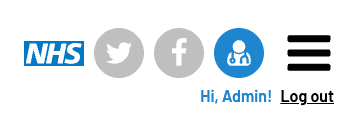
- Please click on the profile icon above your name in the header (see fig 1: it will go blue when you hover over it)
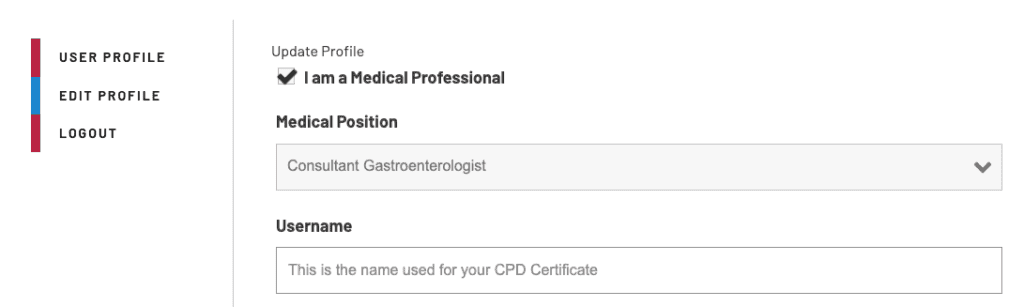
- Select Edit Profile on the left-hand side of the Profile page.
- There you should be able to change your Username to the name you want to appear on your certificate.
- Don’t forget to click on Submit at the bottom of the page to save this setting.
I’m having problems registering for a meeting
Registration for an event opens around 6-8 weeks before the event. For courses, we register via email to control numbers.
To register for a course, click on the button “RESERVE YOUR PLACE” on the meeting page. This will take you through a form and if this is submitted successfully, you will get a success message and an email to tell you that you are registered. If you are attending in person, your name will be added to the register, and if you are attending online (applicable for only certain meetings), you will be able to access the live stream once you are logged in.
- Are you logged into the site? If you are, your name will be in the top right-hand corner of the site. If not, click on the log in button and you will be given the option to log in or register for the site.
- Is the meeting open for registration yet? If it’s more than 8 weeks until the meeting, you’ve logged in and there is no button, we may not have enabled registration yet. Come back in a couple of weeks, there is plenty of time to register!
- Did you make sure the right meeting was selected when you filled in the form? We have several meetings which are registered via the same form. If the wrong meeting is selected you will be registered for the wrong meeting. and won’t receive communications about the one you want to attend
If none of these answer your question, please get in touch